
Product

Shifts, clock-ins and requests in one workspace.

A weekly view for whoever coordinates, a today screen for whoever works and a record of every change for whoever answers.

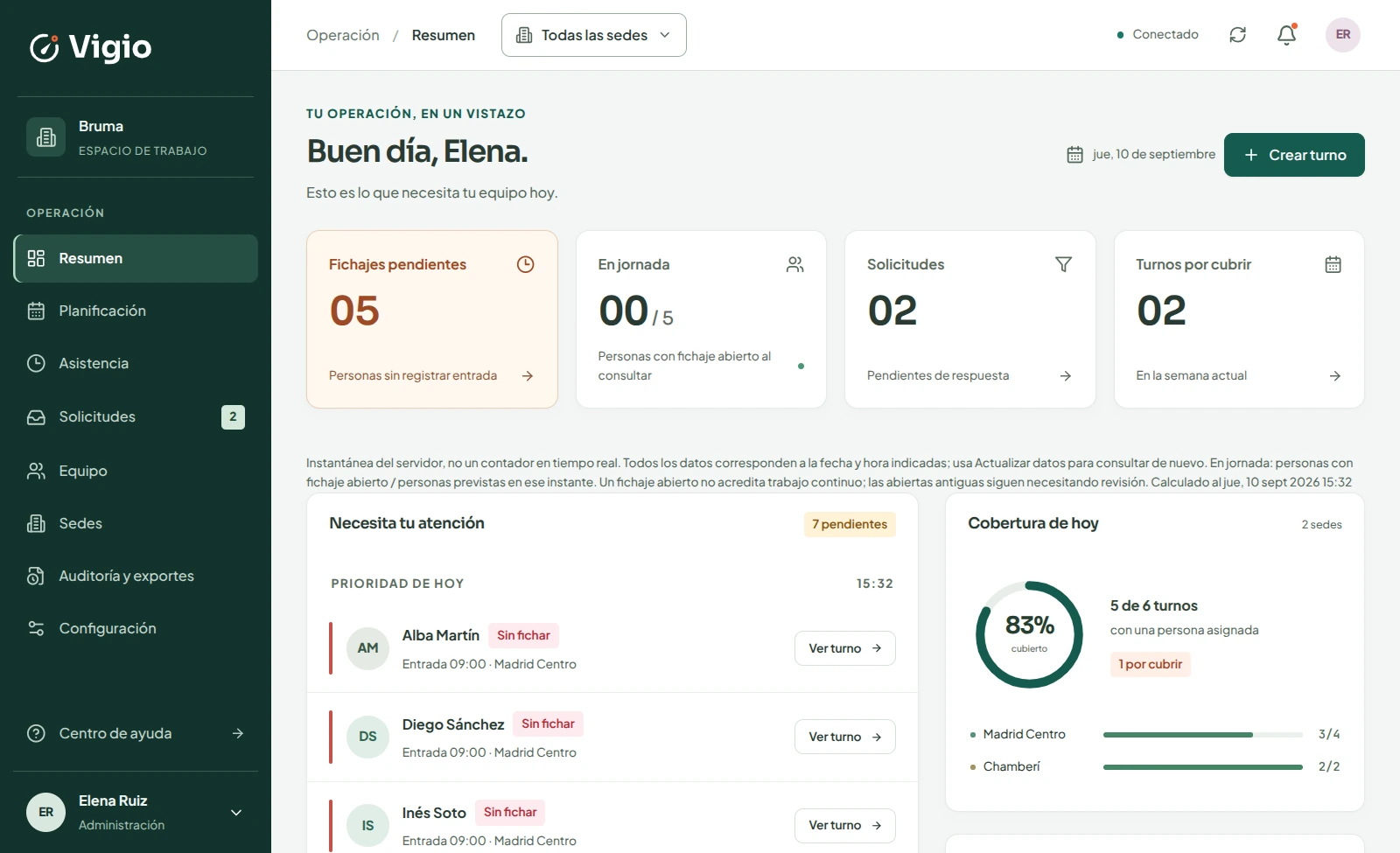
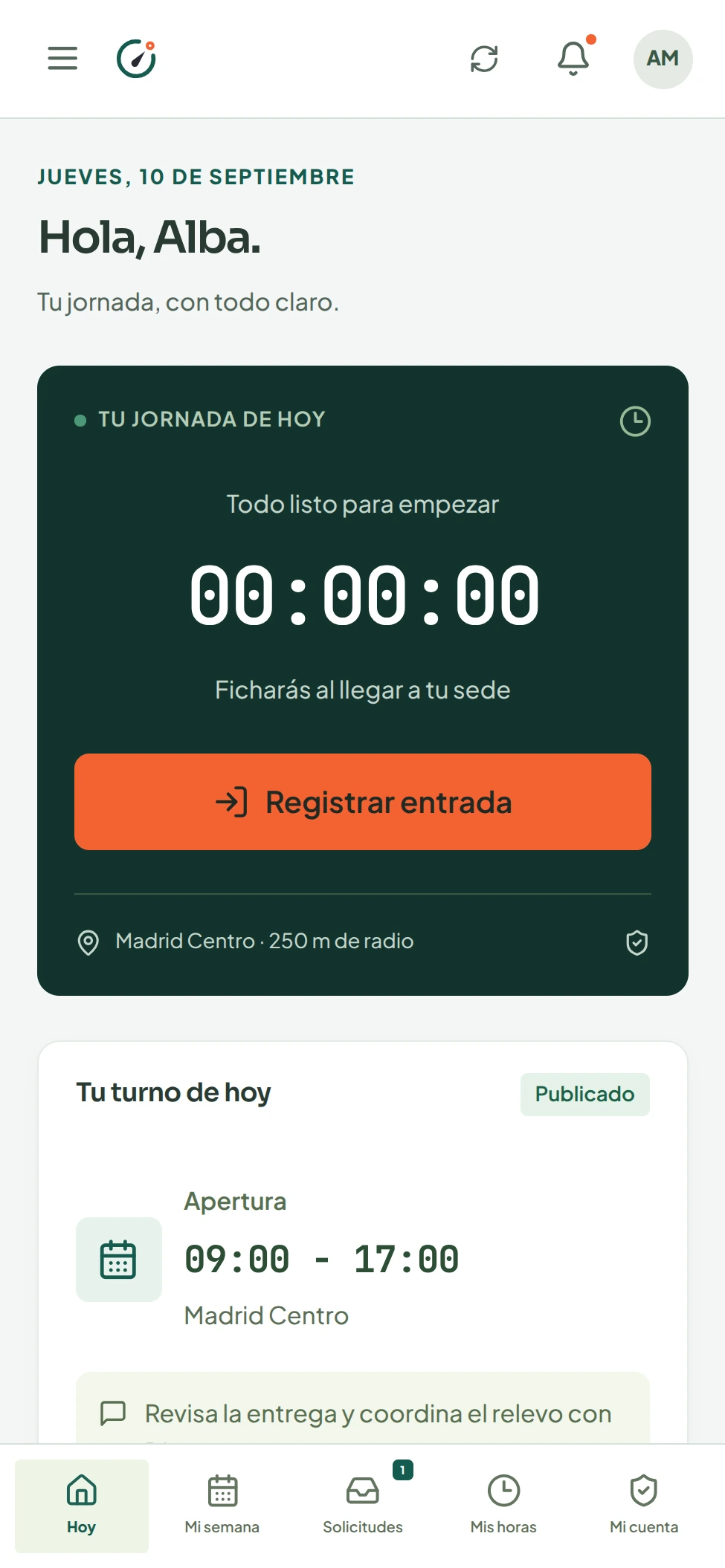
Vigio management overview: pending clock-ins, people on shift, requests and coverageEmployee Today screen with the Clock in button
ProductManagement + team · demo data
01 / SCHEDULING

A week that works.

Create shifts, check coverage and publish when everything is ready. The team only sees the published schedule.

The weekly view brings people, sites and availability together. Check coverage and publish the version your team will see.

  • Assigning checks availability, rest, absences and overlaps.
  • From Growth upwards, Vigio generates the week; if nobody meets the rules, the shift stays as open cover.
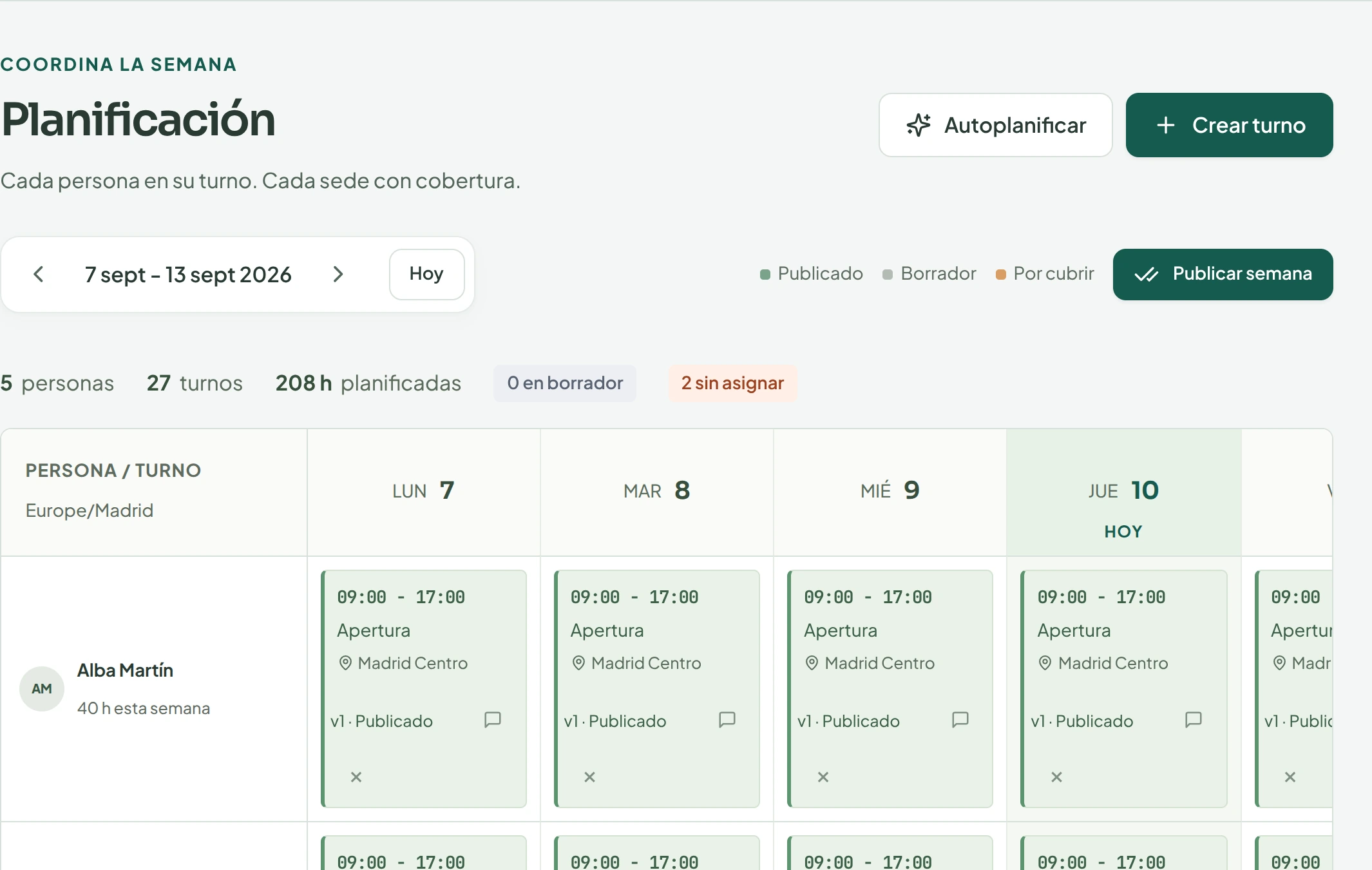
Weekly schedule with shifts by person and day

Schedule · management viewApplication screenshot · demo data
02 / WORKDAY

Here today, on time.

The next shift and clock-in are close at hand. Location is used only when recording attendance.

Each person can see their next shift and clock in or out from their workspace. Location is requested only when clocking in or out.

  • Every clock-in uses server time.
  • Distance to the site and accuracy are stored, with no continuous tracking.
Employee workday with today's shift and the clock-in button

Employee space, on the phoneApplication screenshot · demo data

03 / ATTENDANCE

Issues in plain sight.

Review records and give a reason for each correction. Every change is traceable.

Clock-ins use location when a record is made. Administrators can review issues and correct records with a traceable reason.

  • Every record stores distance and accuracy; issues are confirmed or corrected.
  • Export the week when you close the records.
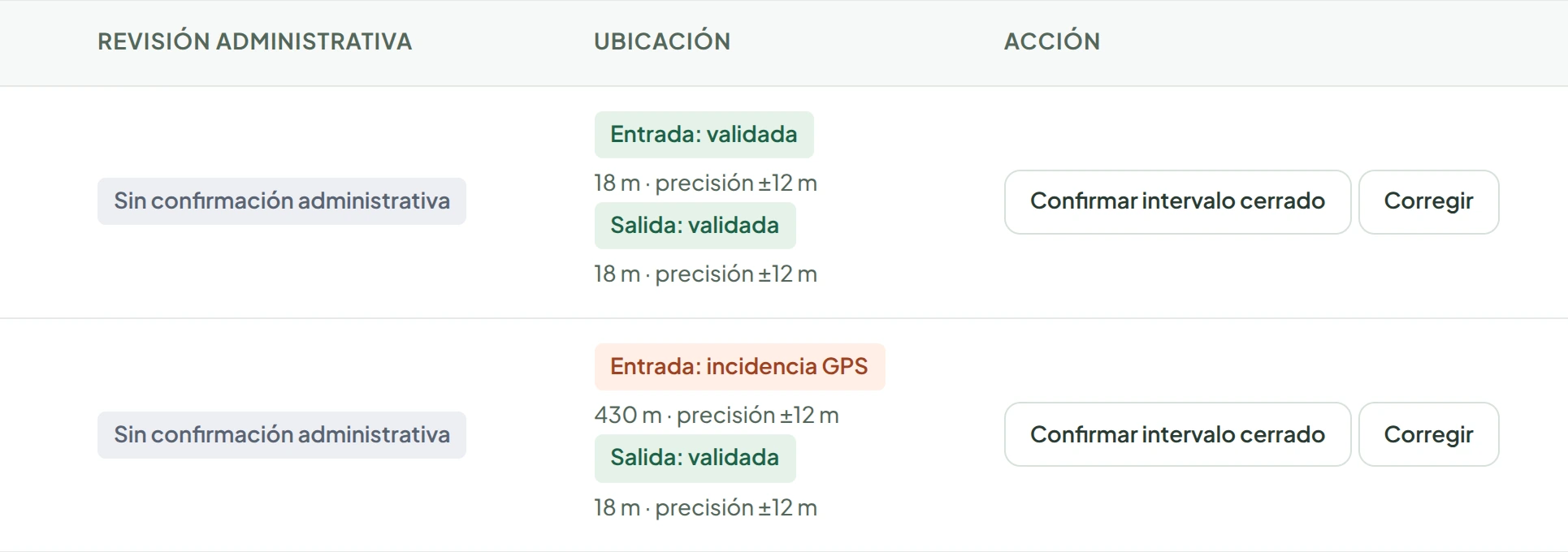
Attendance record with a GPS issue: clock-in 430 metres away, 12 metre accuracy

Attendance · management viewApplication screenshot · demo data

04 / REQUESTS

A change. A clear response.

Absences, changes and coverage with status, resolution and notification.

Team members can request absences or changes; coordinators review each request and record the decision.

  • Clear statuses: pending, approved or rejected.
  • Approving an absence frees the affected shifts.
List of absence and coverage requests waiting for review

Requests · management viewApplication screenshot · demo data
05 / SITES AND CLIENTS

Every site in its place.

Your own sites and service points at client premises, each with its own address and clock-in radius.

Free includes one own site. From Starter you add more sites and service points, group them by client and export each client's hours.

  • Clock-ins are checked against the point where people work, never a generic client location.
  • Archiving a point keeps its shifts, clock-ins and reports.
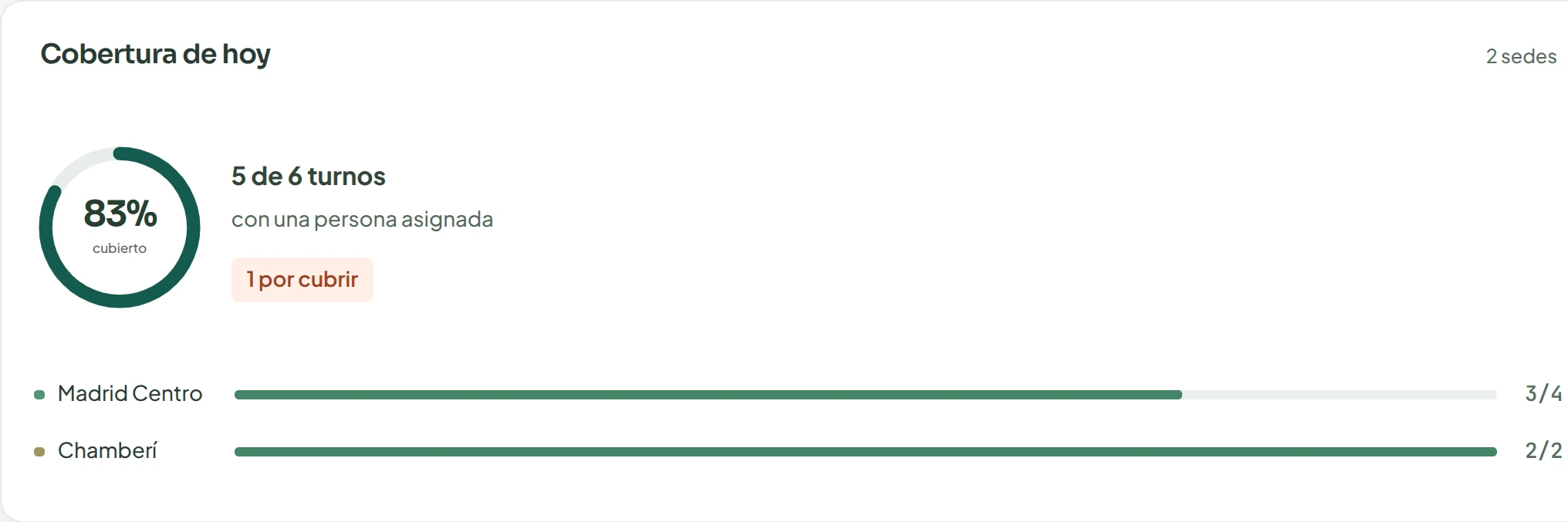
Today's coverage: 83% covered, 5 of 6 shifts, by site

Coverage by site · admin viewApplication screenshot · demo data

Start free with one site or look at the plans.